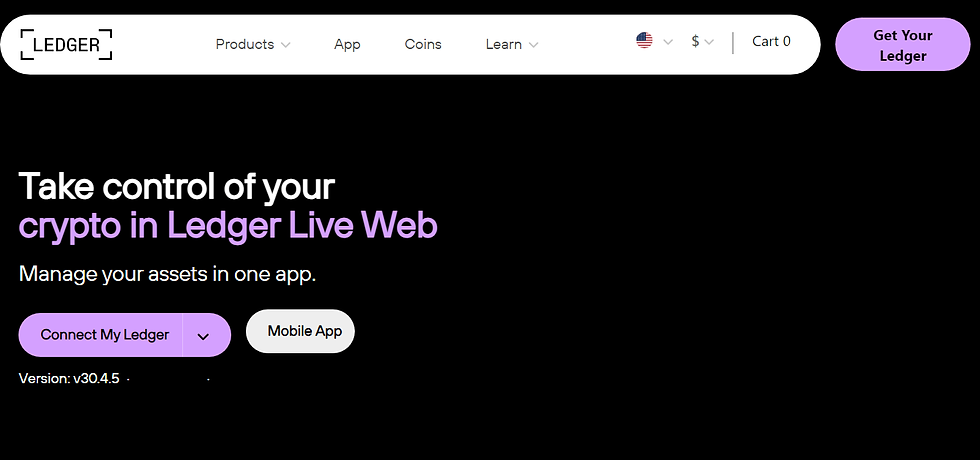
Ledger Live — Official App for Secure Crypto Management
Ledger Live is the official desktop and mobile application that works with Ledger hardware wallets, allowing users to securely manage cryptocurrencies, track portfolios, and interact with Web3 while keeping private keys offline.
Get Ledger LiveIntroduction to Ledger Live
Ledger Live is the central interface for managing digital assets stored on Ledger hardware wallets. Designed with security and usability in mind, Ledger Live enables users to interact with blockchains while ensuring that private keys never leave the hardware device.
Whether you are holding cryptocurrency long term, actively trading, staking assets, or exploring decentralized finance, Ledger Live provides a trusted environment that combines simplicity with industry-leading security.
Why Ledger Live Is Essential
Managing cryptocurrency without proper security exposes users to significant risks. Exchange-based wallets and browser extensions are constantly targeted by attackers. Ledger Live solves this problem by acting as a secure bridge between the internet and your Ledger hardware wallet.
All sensitive operations—such as signing transactions—require physical confirmation on the Ledger device. Even if your computer or phone is compromised, your funds remain protected.
Getting Started with Ledger Live
Setting up Ledger Live is a straightforward process. The application is available for Windows, macOS, Linux, Android, and iOS, making it accessible to a wide range of users.
- Download Ledger Live from the official Ledger website.
- Install the application on your desktop or mobile device.
- Connect your Ledger hardware wallet.
- Initialize a new wallet or restore an existing one.
- Verify authenticity and complete setup.
Ledger Live includes a built-in verification process to ensure that your device is genuine and running official firmware.
Managing Cryptocurrencies
Ledger Live supports hundreds of cryptocurrencies and tokens. Users can easily add accounts for different assets, view balances, and monitor performance in real time.
Receiving Crypto
Ledger Live generates a receiving address that must be verified on your Ledger device. This step ensures that the address has not been altered by malware.
Sending Crypto
When sending funds, transaction details appear on the Ledger device screen. Only after confirmation on the device is the transaction broadcast to the network.
Portfolio Tracking and Insights
Ledger Live includes a comprehensive portfolio dashboard that shows asset allocation, historical performance, and market trends. Users can track gains and losses across multiple accounts in a single interface.
This visibility helps users make informed decisions while maintaining complete control over their assets.
Staking and Earning Rewards
Ledger Live allows users to stake supported cryptocurrencies directly from the application. Staking enables users to earn rewards while maintaining ownership of their private keys.
Unlike custodial staking services, Ledger Live ensures that funds remain protected by the hardware wallet throughout the staking process.
Web3 and DeFi Access
Ledger Live integrates with Web3 applications, decentralized exchanges, and NFT marketplaces. Users can interact with smart contracts while approving every action on their Ledger device.
This hardware-based approval process adds a critical layer of protection in environments where smart contract risks and malicious approvals are common.
Security Best Practices with Ledger Live
- Always verify transaction details on your Ledger device.
- Keep your recovery phrase offline and secure.
- Update Ledger Live and device firmware regularly.
- Download updates only from official sources.
- Beware of phishing emails and fake applications.
- Use a strong PIN and optional passphrase.
Ledger Live provides ongoing security notifications and educational resources to help users stay protected against emerging threats.
Advanced Features for Power Users
Advanced users can take advantage of features such as custom RPC settings, multiple accounts, passphrase-protected wallets, and third-party integrations. Ledger Live supports a wide range of workflows while maintaining strict security standards.
These tools allow users to scale their crypto activities without sacrificing safety.
Recovery and Troubleshooting
Ledger Live provides clear guidance for recovering funds using the recovery phrase if a device is lost or damaged. As long as the recovery phrase is secure, access to assets can always be restored.
Built-in troubleshooting tools help resolve connection issues, update firmware, and verify device authenticity.
Conclusion
Ledger Live is more than just a wallet application—it is a complete ecosystem for secure cryptocurrency management. By combining ease of use with hardware-backed security, Ledger Live empowers users to take full control of their digital assets.
Whether you are a beginner or an experienced crypto user, Ledger Live provides the tools, insights, and protection needed to navigate the evolving world of digital finance safely.